
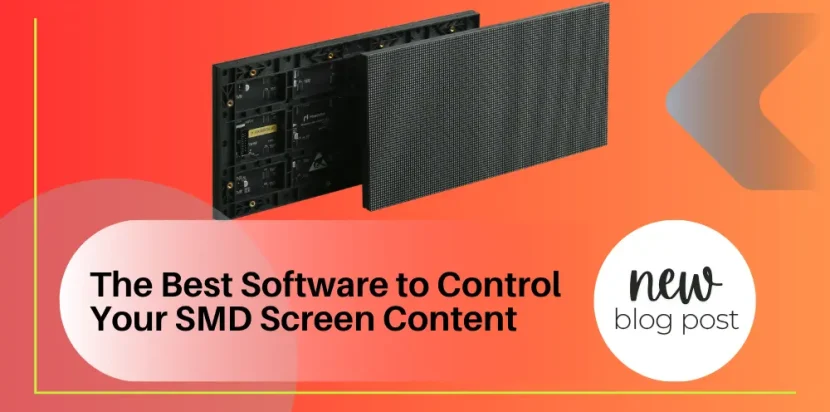
Investing in high-end digital signage is only the first half of the equation for commercial advertising success. Once your physical hardware is installed, the true magic happens behind the scenes. The bridge between your creative vision and the illuminated pixels on your display is your SMD-LED screen control software. This foundational technology dictates how easily you can upload videos, schedule advertising campaigns, monitor hardware health, and ensure that your brand messaging is delivered flawlessly to your audience.
Choosing the right SMD-LED screen control software is a critical decision that impacts your daily operational efficiency. Whether you are running a single digital menu board in a local cafe or orchestrating a massive network of highway billboards across the country, utilizing sub-par management systems will lead to formatting errors, playback stuttering, and massive losses in productivity. In the competitive realm of digital out-of-home (DOOH) advertising, your SMD-LED screen control software is your primary command center.
This comprehensive, highly technical guide is designed to navigate the complexities of digital display management. We will explore the leading SMD-LED screen control software solutions available today, dissect the differences between various control architectures, and provide authoritative advice on configuring your systems to rank among the highest E-E-A-T (Expertise, Experience, Authoritativeness, Trustworthiness) standards in technical operations.
Understanding the Architecture of SMD LED Screen Control Software
To fully grasp the capabilities of top-tier SMD-LED screen control software, one must first understand the hardware ecosystem it interacts with. A digital display is not a simple plug-and-play monitor. It utilizes a dedicated control system comprising a sending card (which receives the video signal and processes it) and multiple receiving cards (housed inside the individual display cabinets, which distribute the data to the LED modules).
Your chosen SMD-LED screen control software acts as the user interface for this complex hardware matrix. Through this interface, you map out the physical resolution of your screen, configure the color calibration data, and establish the communication protocols. Broadly speaking, the industry divides SMD LED screen control software applications into two primary categories based on playback methodology: Synchronous and Asynchronous.
Synchronous SMD LED Screen Control Software
Synchronous SMD-LED screen control software means the digital display acts as a direct, real-time mirror of the controlling computer’s monitor. Whatever is playing on your PC is instantly broadcasted to the display. This setup requires a constant, physical connection (usually via HDMI, DVI, or DisplayPort into a sending card) between the media player and the display.
Synchronous SMD-LED screen control software is the undisputed champion for live events, sports arenas, and high-stakes corporate presentations. Because it processes video in real-time with zero latency, it is essential for broadcasting live camera feeds or rendering dynamic graphics. If you are operating a massive BIA Indoor SMD Screen for a live concert, you will almost certainly rely on synchronous SMD-LED screen control software to ensure perfect lip-sync and instant visual responsiveness.
Asynchronous SMD LED Screen Control Software
Conversely, asynchronous SMD-LED screen control software operates independently of a continuous computer connection. In this architecture, the controlling PC uses the SMD-LED screen control software to compile the video files, images, and scheduling data, and then transmits this entire package (via Wi-Fi, 4G, or Ethernet) to an integrated media player card located inside the display.
Once the data is transferred, the computer can be turned off or disconnected. The asynchronous SMD-LED screen control software allows the onboard media player to loop the content indefinitely according to the programmed schedule. This is the industry standard for outdoor advertising billboards, retail signage, and standalone kiosks. For installations like the BIA Outdoor SMD Screen, utilizing remote, cloud-based asynchronous SMD LED screen control software allows network operators to manage hundreds of screens across different cities from a single, centralized office.
Industry-Leading SMD LED Screen Control Software Ecosystems
The market is dominated by a few major hardware and software ecosystems. Because the SMD LED screen control software must communicate natively with the proprietary microchips on the sending and receiving cards, you generally must use the software designed by the hardware manufacturer. Here are the titans of the industry and their respective SMD LED screen control software platforms.
1. Novastar: The Global Heavyweight
Novastar is arguably the most dominant force in global display control technology. Their suite of SMD LED screen control software is renowned for its reliability, massive feature set, and high degree of scalability. If your display uses premium components like those in the BIA Nationstar SMD Screen, there is a very high probability it is powered by Novastar’s processing environment.
- NovaLCT: This is the bedrock, engineering-level SMD LED screen control software used for the initial hardware configuration. NovaLCT is highly technical. It is used to load the specific .rcfgx receiving card files, map the data cascade flow between cabinets, adjust screen brightness, and perform precise optical calibration. It is an indispensable SMD LED screen control software for technicians.
- ViPlex Express & ViPlex Handy: Moving to the content management side, ViPlex is Novastar’s asynchronous SMD LED screen control software. Available for PC (Express) and mobile devices (Handy), it allows users to easily drag-and-drop media, create multi-window layouts, and publish content locally over Wi-Fi to Taurus series multimedia players.
- VNNOX: For enterprise-level deployments, VNNOX is Novastar’s cloud-based SMD LED screen control software. VNNOX allows you to manage a global network of displays. You can schedule content down to the specific minute, assign different user permission levels to your marketing team, and monitor the hardware health (temperature, power status) of every single cabinet from a web browser.
2. Colorlight: The Choice for High-End Broadcast
Colorlight provides an incredibly powerful SMD LED screen control software ecosystem tailored specifically for high-end broadcast, virtual production, and XR (Extended Reality) studios. Their systems are celebrated for their exceptional color fidelity and low-latency processing.
- LEDVision: Colorlight’s primary SMD LED screen control software is LEDVision. It combines both hardware configuration and content scheduling into a single, cohesive platform. LEDVision is highly regarded for its intuitive interface when mapping complex, non-standard shapes. If you are programming a sweeping, curved BIA Flexible SMD Screen, LEDVision’s advanced mapping tools make this SMD LED screen control software highly advantageous. Furthermore, it supports 3D video playback and advanced HDR (High Dynamic Range) formatting.
3. Linsn: The Reliable Pioneer
Linsn was one of the earliest pioneers in display synchronization, and their SMD LED screen control software remains widely used, particularly in established, long-running installations.
- LEDStudio: This is the legacy SMD LED screen control software provided by Linsn. While its user interface may look slightly more utilitarian compared to modern cloud platforms, LEDStudio is a rock-solid, incredibly stable piece of SMD LED screen control software. It excels in straightforward, synchronous playback and is deeply integrated with Linsn’s ubiquitous RV908 receiving cards. It provides all the necessary tools for text overlay, basic video scheduling, and hardware diagnostics.
4. Huidu (HD): The Commercial Retail Specialist
For commercial retail environments, specialized storefronts, and smaller asynchronous displays, Huidu offers an incredibly accessible and user-friendly SMD LED screen control software ecosystem.
- HDPlayer & LedArt: HDPlayer is the desktop SMD LED screen control software, while LedArt is its mobile counterpart. This platform is heavily geared toward asynchronous control and is beloved by small to medium business owners. The SMD LED screen control software makes it incredibly simple to create text tickers, weather widgets, and clock overlays. If you are installing a sleek BIA Ultra Thin SMD Screen in a boutique window, Huidu’s SMD LED screen control software provides the perfect balance of simplicity and functionality.
Essential Features to Evaluate in Your SMD LED Screen Control Software
When planning your digital signage network, evaluating the specific capabilities of your SMD LED screen control software is just as crucial as reviewing pixel pitch specifications. Here are the critical features that top-tier SMD LED screen control software must provide:
- Multi-Format Media Support: Your SMD LED screen control software should natively decode a wide array of formats, including MP4, AVI, MOV, JPG, PNG, and GIF, without requiring you to transcode files through third-party applications.
- Advanced Scheduling: The ability to pre-program content is vital. The best SMD LED screen control software allows for day-parting, meaning you can schedule a breakfast menu graphic to switch to a lunch menu automatically at 11:00 AM.
- Real-Time Hardware Monitoring: Enterprise SMD LED screen control software acts as a diagnostic tool. It should alert you via email if a specific cabinet goes offline, if an internal fan fails, or if a receiving card drops its signal, allowing for proactive maintenance.
- Multi-Window Layouts: Modern SMD LED screen control software allows you to divide your display into distinct zones. You can have a live video feed playing in the main quadrant, a scrolling news ticker at the bottom, and a static logo in the corner, all managed simultaneously.
- Cloud-Based Remote Access: In today’s interconnected world, modern SMD LED screen control software must offer cloud connectivity. Updating a billboard alongside a busy highway should not require a technician with a laptop climbing a ladder; it should be done remotely via secure 4G/5G connections.
How to Choose the Right SMD LED Screen Control Software
Selecting the optimal SMD LED screen control software is entirely dependent on your application, your technical proficiency, and your long-term business strategy.
If you are a staging company managing live events, your priority is low-latency, real-time processing. Therefore, robust synchronous SMD LED screen control software tied to high-end Novastar or Colorlight processors is your mandatory path.
If you manage an advertising firm with billboards spread across multiple cities, your absolute necessity is reliable cloud-based, asynchronous SMD LED screen control software. You need a platform like VNNOX that allows for secure, centralized network management and verifiable play-logs to prove ad delivery to your clients.
For local business owners wanting to simply update daily specials on their shop window display, a highly complex engineering platform might be overwhelming. In these instances, mobile-friendly SMD LED screen control software like ViPlex Handy or LedArt provides the most friction-free user experience, allowing updates directly from a smartphone.
Regardless of your scale, integrating the right SMD LED screen control software requires careful planning. It is highly recommended to consult with technical experts who understand the synergy between the physical hardware and the digital ecosystem. At BIA, we provide comprehensive guidance to ensure that your chosen SMD LED screen control software perfectly aligns with your operational goals. Browse our full range of compatible hardware solutions in our comprehensive Products Catalog.
Frequently Asked Questions (FAQs)
1. Can I use any SMD LED screen control software with my display? No. Your SMD LED screen control software must be compatible with the specific brand of sending and receiving cards installed in your display hardware. For example, Novastar software will not communicate with Linsn receiving cards.
2. What is the difference between synchronous and asynchronous SMD LED screen control software? Synchronous SMD LED screen control software requires a live, continuous PC connection to stream real-time video, mirroring the computer monitor. Asynchronous SMD LED screen control software sends the files and schedule to an onboard media player, allowing the display to run independently without a connected PC.
3. Is cloud-based SMD LED screen control software secure from hackers? Yes, top-tier cloud-based SMD LED screen control software like VNNOX utilizes advanced encryption, secure server protocols, and multi-factor authentication to ensure that unauthorized users cannot hijack your digital signage network.
4. Does SMD LED screen control software require a monthly subscription fee? It depends on the platform. Basic, local-network SMD LED screen control software (like ViPlex Express or LEDVision) is generally free and included with your hardware purchase. However, enterprise-level, cloud-based SMD LED screen control software that utilizes external servers usually incurs a monthly or annual licensing fee based on data usage and the number of screens.
5. Can my SMD LED screen control software automatically adjust the screen brightness? Yes, if your hardware includes a multi-function card and a light sensor, advanced SMD LED screen control software can be programmed to automatically dim the display at night and increase brightness during the day, optimizing energy consumption and complying with local light pollution regulations.
Master your visual content strategy today! The true power of digital advertising lies in your ability to control the narrative instantly and flawlessly. Equip your infrastructure with the industry’s most robust SMD LED screen control software and watch your operational efficiency soar. Need expert guidance configuring your network or mapping complex display architectures? Reach out to our technical team via the Contact Page
for professional consultation. Stay connected with the latest advancements in display management by joining our community on our Facebook Page. Empower your brand with BIA technology!
Comments are closed